* Estimated delivery times start from the date of shipment, excluding processing time.
* Actual delivery times may vary due to holidays, weather conditions, or customs delays.
Darmowa standardowa wysyłka dla zamówień powyżej $9.9
Polityka zwrotów
Zwroty będą akceptowane w ciągu 40 dni od daty otrzymania towaru. Produkty spersonalizowane nie podlegają zwrotowi ani wymianie. Produkty zakupione za pomocą karty podarunkowej są tylko wymienne; zwroty nie są możliwe.
Darmowy prezent
Witamy w Roymall, Twojej profesjonalnej stronie do zakupu ekskluzywnych prezentów z domów towarowych. Bardzo doceniamy Twoje wsparcie i chcemy wyrazić naszą wdzięczność, dodając dodatkową dawkę ekscytacji do Twoich zakupów. Kiedy robisz zakupy u nas, nie tylko cieszysz się wysokiej jakości produktami, które poprawiają Twój styl życia, ale także otrzymujesz ekskluzywny darmowy prezent z każdym zamówieniem. Gotowy, aby odkryć naszą kolekcję i znaleźć swoje idealne prezenty? Przejrzyj nasz wybór ekskluzywnych produktów z domów towarowych, złóż zamówienie i czekaj na darmowy prezent, który przyjdzie razem z Twoim zakupem.
Polityka wysyłki
Postaramy się dostarczyć Ci produkty po otrzymaniu Twoich zamówień i upewnimy się, że dotrą bezpiecznie. Szczegóły dostawy zostaną podane w mailu potwierdzającym.W większości przypadków zamówienia są przetwarzane w ciągu 2 dni. W szczególnych okolicznościach może to być opóźnione w następujący sposób: Kiedy składasz zamówienie w sobotę, niedzielę lub święta, zostanie ono opóźnione o 2 dni.Zwykle trwa to 5-7 dni roboczych (od poniedziałku do piątku) bez wpływu opóźnień lotów lub innych czynników środowiskowych.Ponieważ nasza usługa wysyłkowa jest globalna, czas dostawy zależy od Twojej lokalizacji, więc może to zająć kilka dni, i prosimy o cierpliwość, jeśli jesteś w odległych regionach lub krajach.
1. Polityka zwrotów i wymian
Akceptujemy tylko produkty zakupione na roymall.com. Jeśli kupujesz od naszych lokalnych dystrybutorów lub innych sprzedawców, nie możesz ich u nas zwrócić.Produkty wyprzedażowe lub darmowe prezenty nie podlegają zwrotowi.Aby kwalifikować się do zwrotu, Twój produkt musi być nieużywany i w tym samym stanie, w którym go otrzymałeś. Musi również znajdować się w oryginalnym opakowaniu.Po otrzymaniu od nas instrukcji zwrotu, zapakuj zwracane produkty i zostaw paczkę w lokalnym urzędzie pocztowym lub innym kurierze. Przetworzymy Twój zwrot lub wymianę produktu w ciągu 3-5 dni roboczych po jego otrzymaniu. Zwrot zostanie przetworzony i zaksięgowany automatycznie na Twojej oryginalnej metodzie płatności.Nie przyjmujemy zwrotów ani wymian, jeśli produkt został wykonany na zamówienie, w tym niestandardowy rozmiar, kolor lub druk.Potrzebujesz więcej pomocy? Skontaktuj się z nami. service@roymall.com lub Whatsapp: +447549870296
2. Polityka zwrotów
Otrzymasz pełny zwrot lub 100% kredytu sklepowego po otrzymaniu i sprawdzeniu zwróconej paczki. Zwrot zostanie przetworzony i zaksięgowany automatycznie na Twojej oryginalnej metodzie płatności.Pamiętaj, że koszty wysyłki oraz wszelkie cła lub opłaty nie podlegają zwrotowi. Dodatkowe koszty wysyłki nie podlegają zwrotowi po wysłaniu paczki. Jesteś odpowiedzialny za zapłatę tych opłat i nie możemy ich anulować ani zwrócić, nawet jeśli zamówienie zostanie do nas zwrócone.Po otrzymaniu i potwierdzeniu Twojego zwróconego produktu wyślemy Ci e-mail z powiadomieniem, że otrzymaliśmy Twój zwrócony produkt. Poinformujemy Cię również o zatwierdzeniu lub odrzuceniu Twojego zwrotu.Jeśli masz problemy z procesem zwrotu, skontaktuj się z nami. service@roymall.com lub Whatsapp: +447549870296
Specification:
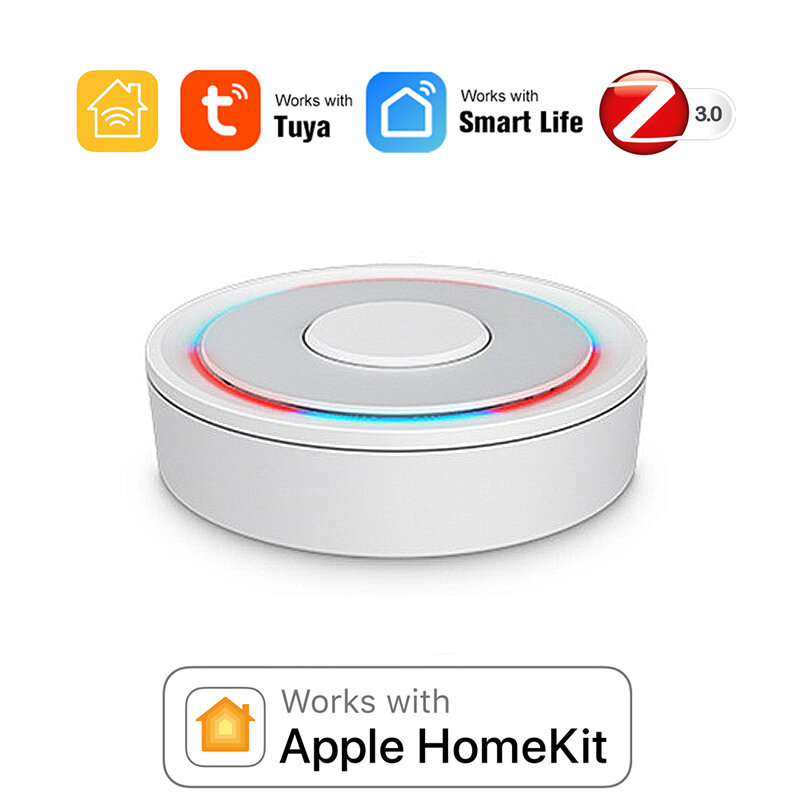
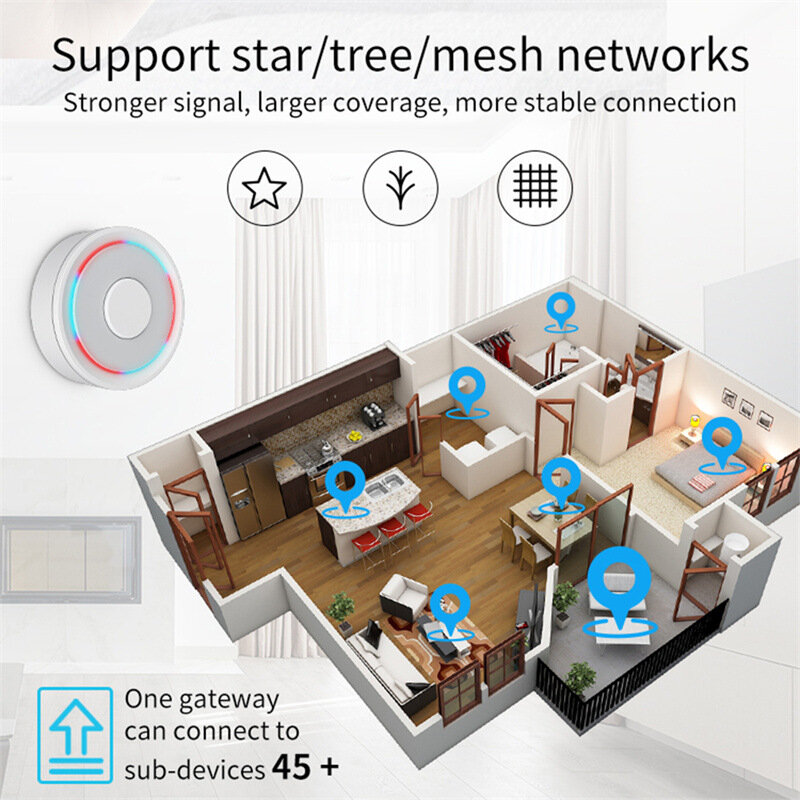
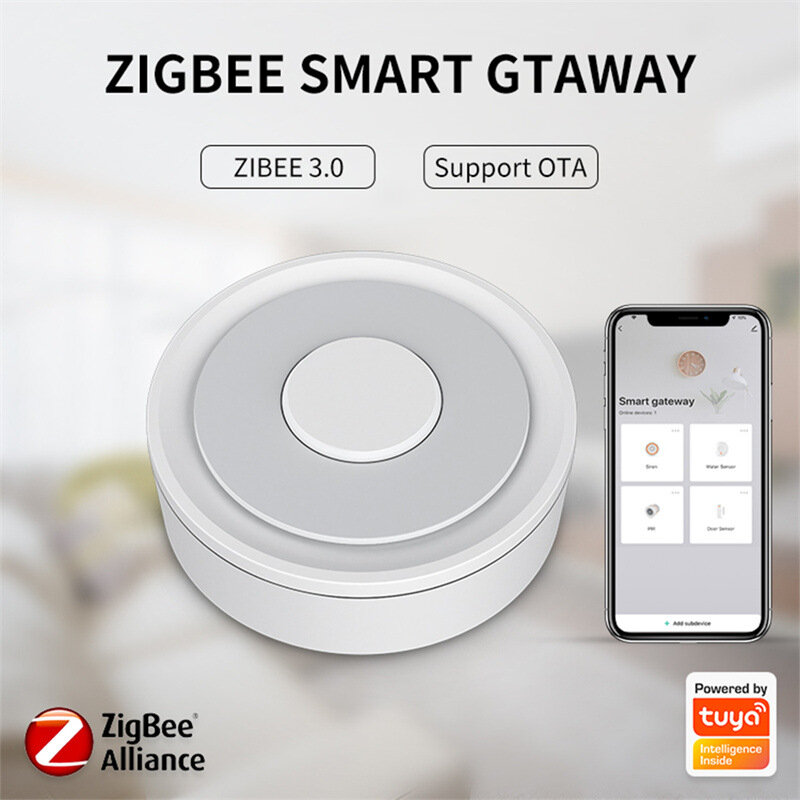
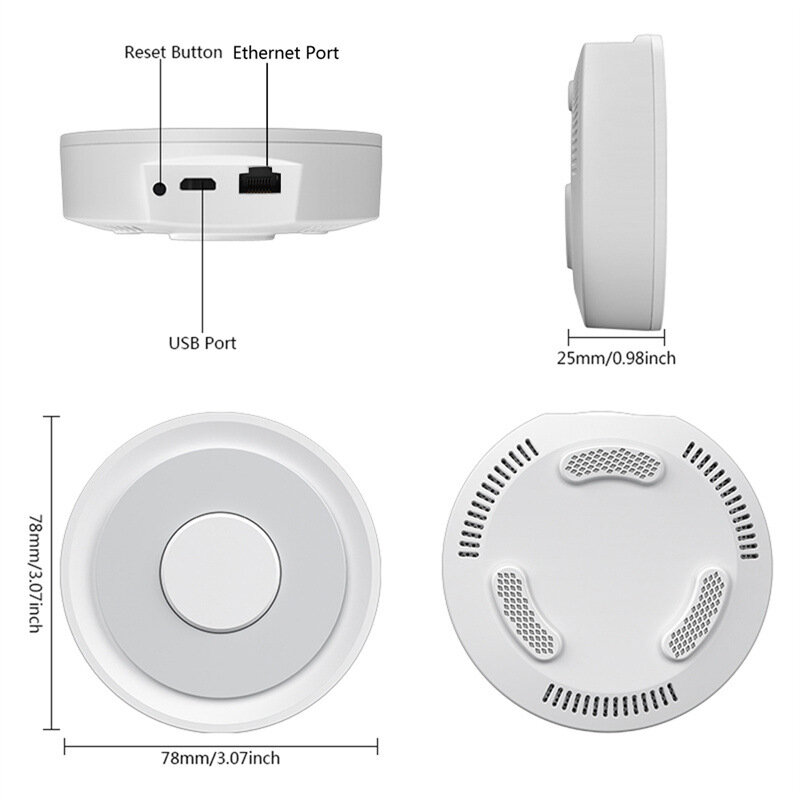
Model Number: Homekit ZigBe Gateway Hub 3.0 Gateway HubUSB power supply: 5V/1A(Power adapter not included)Working temperature: 10C-55℃Working humidity: 10%-90% RUStorage temperature: 10C-55℃Storage humidity: 10%-90% RHNetwork protocol: Zigbe IEEE 802.15.4Product type: Wired gateway(Needs to be connected to the network through the Ethernet Port.)Firmware upgrade: OTA supportSize: 78x78x25MM
Package Include:
1x Gateway
Supplementary Note
:
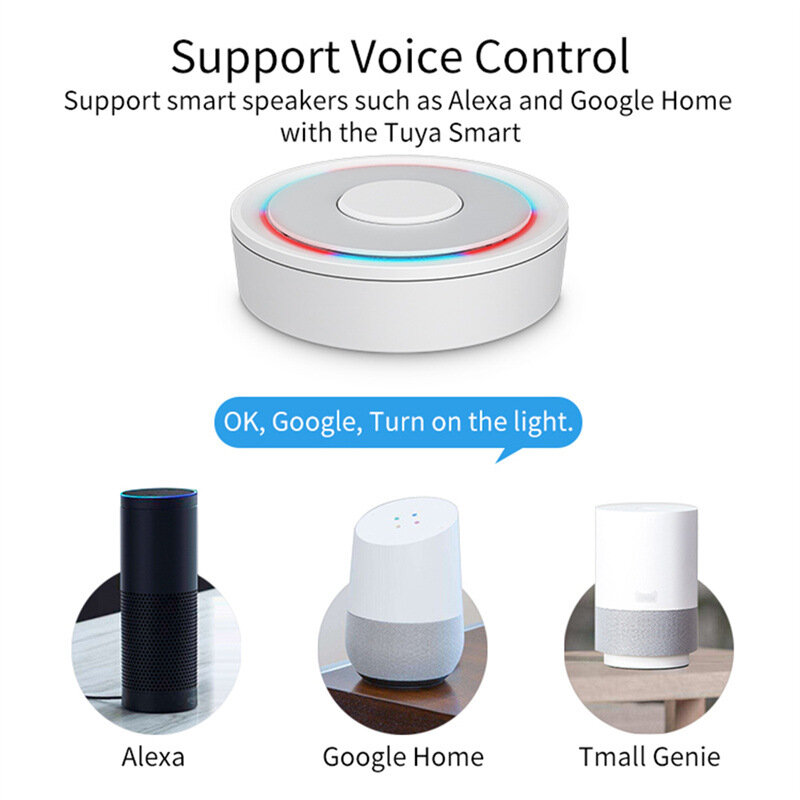
u2460Supports both HomeKit and ZigBe protocols.u2461This device cannot be directly connected to WiFi(Needs to be connected to the network through the Ethernet Port,The Ethernet port is only used for network connection, not for power supply).u2462This is a dual-purpose gateway, which can be used as a ZigBe Hub to connect with TUYA APP, or as a HomeKit Hub to connect with Apple Home APP.u2463If you want your Zigbe smart device to connect to Apple Home APP through this Gateway/Hub, you need to make sure your Zigbe smart device supports HomeKit authentication protocol.u2464When using the TUYA APP, Most Zigbe devices can be added to the gateway. (Non-ZigBe protocol smart devices such as TUYA WiFi smart devices cannot access this ZigBe gateway).u2465When using the Apple Home APP, you can add HomeKit-certified Zigbe devices to the gateway.u2466Only HomeKit certified Zigbe smart devices can be added to the Apple Home APP.Therefore, you cannot connect an uncertified TUYA Zigbe smart device to the Apple Home APP through this HomeKit Hub.u2467When you use Apple Home APP to connect smart devices, you need to make sure that your smart devices are using ZigBe protocol and have been certified by HomeKit, otherwise it will not work, thanks.u2468This gateway is not compatible with the following device: Tuya Zigbe Smart IR Remote (Tuya ZS06), this device requires the Main Module Versin of the gateway must be higher than 1.31.0, and our gateway Main Module Versin is: 1.3.0.u2469Please note: The latest version of the HomeKit APP has been updated. Devices such as gateways and bridges will no longer be displayed on the homepage and the homepage of the default room. You will not see the gateway that has been successfully added to the HomeKit APP in the default room.u246aNon-ZigBe protocol smart devices such as TUYA WiFi smart devices cannot access this ZigBe gateway.
How to find this Gateway in the Apple Home APP uff1fStep 1: Click Home Settings. Step 2: Click Home Hubs & Bridges. Step 3: Click Bedroom NEO Gateway (the gateway you want to find). How to add a sub-device, please refer to the steps of adding a sub-device below. After the gateway is successfully added, there is basically no need to operate in the app, unless you want to delete the gateway, so it is a reasonable arrangement to hide it in the default room. When you need to pair with a smart device, you only need to short press the black button on the gateway. How to restore factory settings:You can restore factory settings by long pressing the black button on the device, but you cannot judge whether the factory settings are successfully restored by factors such as lights. You need to connect the device to TUYA / Smart Life APP first, and then long press the black button on the device. When you see the gateway disappear from your TUYA / Smart Life APP, you can prove that the factory reset is complete. How to use TUYA / Smart Life APP and Apple Home APP at the same time?If you want to use two APPs at the same time, we recommend to connect Apple Home APP first, and then connect TUYA / Smart Life APP, everything will go smoothly. Conversely, when you connect TUYA / Smart Life APP first, then connect Apple Home APP, It will cause the Apple Home APP to fail to connect, and the device cannot be found.
Tips:For questions about your order, place of delivery, product discount, taxation, delivery time, warranty, shipping, payment, exchange rate, and other questions unrelated to the product, please contact customer service.
showing 1-2 of 2|
Show Original
A part of the QA has been auto-translated.
0
Q:
can i use it for zigbee and wireless (tuya compatible devices)
can i use it for both zigbee and wireless (tuya compatoble) devices?
Most Zigbe devices can be added to the gateway when using TUYA APP. (Non-ZigBe protocol smart devices such as TUYA WiFi smart devices cannot access the ZigBe gateway).
Most Zigbe devices can be added to the gateway when using TUYA APP. (Non-ZigBe protocol smart devices such as TUYA WiFi smart devices cannot access the ZigBe gateway)
Answered by Slangw hanger on 14/02/2024Helpful (0)





 Direct purchase from the factory

![[US DIRECT] ATOMSTACK A5 M50 APP Control Dual-Laser Laser Engraving Cutting Machine Laser Engraver Cutter 5.5W Output Power Fixed-Focus 304 Mirror Stainless Steel Engraving DIY Laser Marking for Metal Wood Leather Vinyl](https://static.roymall.com/d/file/mall/titlepic/235/67803406-41f3-499a-afb7-154990584ff8.jpg?x-oss-process=image/resize,w_237/quality,Q_80/format,webp)

![[EU/US Direct]Raiser for LONGER RAY5 Engraver](https://static.roymall.com/d/file/mall/bigpic/235/65e9b76d-574a-4b4b-9c6c-02db18b89460.jpg?x-oss-process=image/resize,w_237/quality,Q_80/format,webp)
![[US/UK Direct] Refurbished ULTIMEA Nova S70 3.1.2 Soundbar 390W True Dolby Atmos Soundbar BassMax 4K Dolby Vision HDR Passthrough 3EQ Modes Wired Speaker Subwoofer](https://static.roymall.com/d/file/mall/titlepic/235/e1440062-c78c-4565-8aa7-f8857d749771.jpg?x-oss-process=image/resize,w_237/quality,Q_80/format,webp)



 Multi Rotor Parts
 Darmowy prezent
 Polityka wysyłki
 Polityka zwrotów